


Tower Craft: Build Skyscraper
4.45.16K Reviews
App Specs
- Version
- 1.10.23
- Updated On
- License
- Free
- Downloads
- 50,000,000+
- Developer
- CASUAL AZUR GAMES
- Categories
- Strategy
- Platform
- Android, iOS
Screenshots
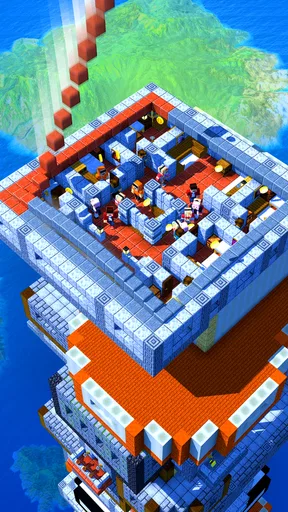
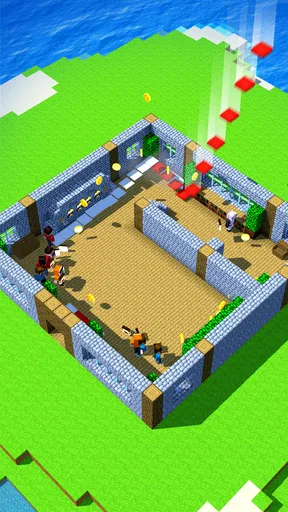
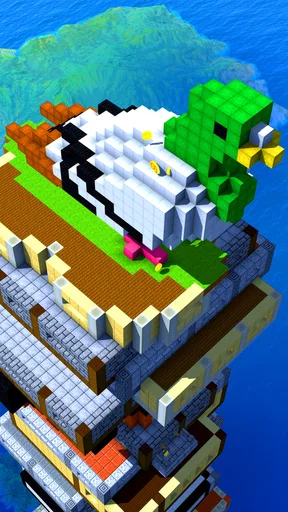
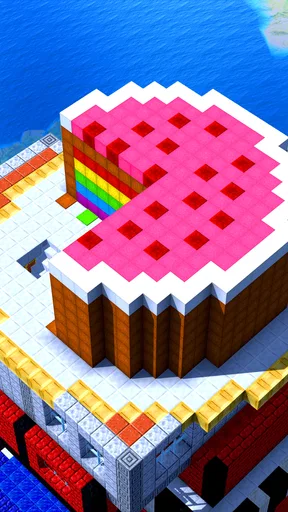
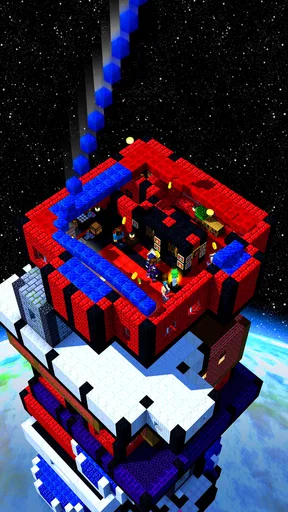
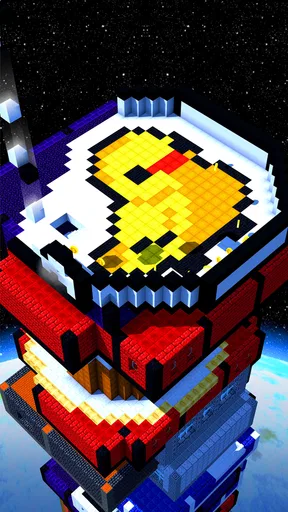
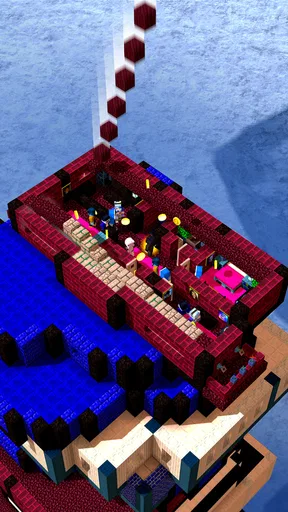
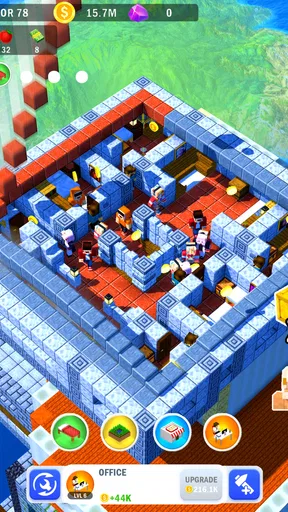
 Analysis by AppCompare
I like Tower Craft: Build Skyscraper best when I treat it as a short, focused challenge rather than a construction game to rush through. The appeal is in repeating a simple action, noticing what went wrong, and trying to place the next block more carefully. It suits the small gaps in a day: a quick session while waiting for a drink, taking a break between tasks, or unwinding without needing to learn a complicated strategy system.
A repeatable rhythm, not a building simulator
The basic loop is easy to understand: build upward, pay attention to placement, and see how far your tower can go. That makes the game approachable, but it also sets expectations. I wouldn’t pick it for designing a detailed city or planning a realistic skyscraper floor by floor. Its strategy comes from timing and consistency, not from managing workers, materials, or a complicated construction plan.
For a better run, I find it helps to settle into a steady rhythm instead of tapping as quickly as possible. Watch the block’s movement, decide where you want it to land, and make each placement deliberate. When a tower starts to feel precarious, that is a useful cue to slow down rather than trying to recover with a hurried series of taps. This small habit makes the challenge feel more controlled, even though it cannot guarantee a perfect build.
Check your setup before chasing height
Because a precision-based game depends on what you can see and how comfortably you can interact, I’d check the device’s display brightness and touch responsiveness before blaming a difficult run on the game. A dim screen or an awkward grip can make it harder to judge a moving block. I also prefer to play with the phone resting securely in my hands or on a stable surface, especially when I’m trying to beat a previous result.
There is no need to turn every session into a personal best attempt. A relaxed run is useful for learning the pace; a focused run is better when you want to improve. Separating those moods keeps a missed placement from feeling like a failure and makes the game easier to pick up again later. I also avoid playing while walking or dividing my attention, since even a brief distraction can interrupt the timing that gives the stacking its appeal.
Progress at your own pace
As a free strategy game from CASUAL AZUR GAMES, it has a low barrier to trying it, with optional in-app purchases priced from $0.99 to $49.99 per item. I would decide first whether I enjoy the basic stacking loop before spending anything. Purchases may suit someone who already knows they want to invest more time, but they are not a substitute for careful placement. The game is rated Everyone, and its straightforward premise is easy to explain to a younger player, though I’d still keep spending choices under an adult’s control.
The game’s familiar, repeatable format is also its main limit. If you want a strategy title with branching decisions, long-term planning, or a detailed campaign, a city builder or a larger management game will offer more to think about. If you want a compact test of timing that you can understand almost immediately, this is a more convenient fit. The comparison is less about which style is better and more about whether you want a quick skill challenge or a deeper project.
Worth Reading Before You Choose

Flipboard Shows What News Apps Must Do Beyond the Feed

Switching to Android Auto Means Rethinking Your Driving Routine

Google Calendar Makes a Crowded Week Easier to Manage

Ludo King Makes the Most of the Minutes Between Plans

Baby Panda World Brings Quick Play to Modern Phones, but Its Game Library Feels Busy

ESPN’s Live Game View Makes Following Close Games Easier
Building Blocks of Fun
So, what’s the deal with Tower Craft: Build Skyscraper? The premise is simple: you start with a base, and your goal is to stack blocks to build a skyscraper. Sounds easy, right? But here’s where it gets exciting. Each block needs to be placed with precision, and the higher you go, the more intense it becomes. I found myself getting lost in the rhythm of stacking, which is both challenging and satisfying.
The graphics are vibrant and engaging, giving a sense of real-time construction. The game’s physics engine is surprisingly realistic for a mobile game, and that adds an extra layer of challenge. If your blocks are a bit off-center, your tower may wobble precariously, which keeps you on your toes.
Why It's a Must-Try
One of the things I love about this game is its accessibility. Whether you’re a casual gamer or someone who loves a challenge, the game adjusts to your style. There’s no complicated learning curve, so you can jump right in and start building. Plus, the game rewards you with in-game currency as you achieve new heights, which you can use to upgrade your tower’s aesthetics and functionality.
I also appreciated the minimalistic UI. It’s clean, easy to navigate, and doesn’t distract from the main gameplay. The developers did a great job in ensuring that players focus on the building, which is where all the fun happens.
Practical ways to play better
For the kind of focused run I enjoy, I use a simple routine: begin with a few placements to get comfortable with the movement, then concentrate on centering each block rather than chasing height at any cost. If I make a mistake, I take a moment before starting again instead of tapping immediately out of frustration. That reset matters; otherwise, I tend to repeat the same rushed placement that caused the problem.
Short sessions are a strength here. A quick attempt can fit into a commute break or a quiet moment at home, while longer play is best saved for when you can give the screen your attention. This is not a game I would recommend playing one-handed while carrying something or in a situation where you need to keep looking away. Its simple controls make it easy to start, but precision still asks for focus.
Getting Competitive
One thing that kept me coming back to Tower Craft was the leaderboard feature. Competing with friends or players worldwide gives you a reason to push for that extra height. The thrill of seeing your name climb the ranks is a great motivator. Plus, you can share your accomplishments directly from the app, which is a neat touch if you’re a social media enthusiast like me.
The game also hosts regular events and challenges. These events are a fantastic way to earn extra rewards and keep the gameplay fresh. I found myself eagerly waiting for these challenges to test my skills and earn those sweet bonuses.
Where the challenge stops
For me, the competitive layer works best as an optional nudge, not the main reason to play. A leaderboard can give a familiar run a clear goal, but it can also make a relaxing game feel like a chore if I keep checking my position. I prefer to set a personal target for a session and stop when I reach it, rather than letting rankings dictate how long I play. Events can add variety, though the core action remains stacking, so anyone expecting a wholly different mode each time may find the format repetitive.
It is also worth separating a good-looking tower from a consistently strong run. Cosmetic upgrades can make progress feel more personal, while the actual placement challenge still depends on attention and timing. I would spend earned currency in a way that feels rewarding to me, rather than assuming every upgrade will make a difficult run easier. That distinction helps keep expectations grounded and avoids treating progression as a shortcut to skill.
In-Game Purchases and Ads
Like many free-to-play games, Tower Craft includes ads and in-game purchases. The ads are generally non-intrusive, mostly appearing after a game session, which I found manageable. If you’re really into it and want to enhance your experience, there are options to purchase additional resources or remove ads. It’s a fair balance that keeps the game enjoyable without feeling pressured to spend.
The game has a 4.4 average from around 246,000 ratings, and it has passed 50 million installs. Those figures suggest it has found a broad audience, but they don’t tell me whether its particular rhythm will suit you. I’d use the free entry point to test that for yourself: if careful placement feels satisfying after several attempts, the game has a good chance of becoming a handy casual pastime. If you quickly want more choices than timing and height, it is probably better to move on rather than expect purchases to transform the experience.
It was released on July 6, 2020, and the current version is 1.10.23, with Android 6.0 as the minimum operating system. I’d check that your device meets the requirement before installing, especially if you are setting it up on an older phone. For anyone wondering whether it is worth keeping installed, my answer depends on how often you enjoy short, repeatable challenges: it earns its place for quick sessions, but it is not the sort of game I would choose as my only strategy title.
Final Thoughts
Overall, Tower Craft: Build Skyscraper is a delightful game that offers endless fun for those who love building and strategy. Its simplicity is its strength, allowing players to focus on perfecting their tower-building skills. Whether you’re killing time or looking for a new addiction, this game is worth a download. So, why not give it a try? You might just find yourself a little obsessed, as I did.
My recommendation is strongest for someone who likes visible, immediate feedback and doesn’t mind repeating a compact challenge to improve. I’d skip it if you want a deep construction sandbox, extensive tactical choices, or a narrative campaign to work through. For everyone else, the practical approach is simple: install it, play a few calm rounds, and see whether the act of placing each block holds your attention. If it does, its straightforward format is exactly the point; if it doesn’t, a more involved builder will likely be a better use of your time.
Pros
- Engaging and addictive gameplay loop.
- Intuitive controls for easy play.
- Colorful and appealing graphics.
- Regular updates with new features.
- Offline play mode available.
Cons
- Ads can be quite frequent.
- Progress can feel slow at times.
- Requires strategy for best results.
- In-app purchases can be costly.
- Limited customization options.
FAQs for Tower Craft: Build Skyscraper
What is the main objective of Tower Craft: Build Skyscraper?
In Tower Craft: Build Skyscraper, the primary goal is to construct the tallest skyscraper possible. Players stack blocks strategically to ensure stability and height, while managing resources effectively. As you progress, you unlock new building materials and upgrades that allow your skyscraper to reach new heights and showcase your architectural prowess.
Is Tower Craft: Build Skyscraper free to play?
Yes, Tower Craft: Build Skyscraper is free to download and play on both Android and iOS platforms. However, the game includes optional in-app purchases. These purchases can enhance your gameplay experience by providing additional resources or removing ads, though they are not necessary to enjoy the full game.
What are the key features of Tower Craft: Build Skyscraper?
Tower Craft offers several engaging features, including intuitive controls, a variety of building materials, and colorful graphics. Players can customize their skyscrapers with different themes and unlock upgrades as they progress. The game also includes daily challenges and achievements that keep the gameplay exciting and rewarding.
How does the game handle in-app purchases and ads?
In-app purchases in Tower Craft provide players with additional resources, such as coins or special building materials, which can speed up progress. Ads are integrated into the game, typically appearing between levels or as optional videos to earn rewards. Players can opt to remove ads through a one-time purchase if desired.
What are some tips for building a successful skyscraper in Tower Craft?
To build a successful skyscraper in Tower Craft, focus on balancing speed and precision. Carefully align blocks to ensure stability, and prioritize upgrades that enhance your building capabilities. Utilize daily challenges to earn extra rewards and experiment with different materials to find the most efficient combinations for your tower.


